Visual Jujutsu

VS Code extension for Jujutsu (jj)

See your jj revision graph. Change it by dragging.

Visual Jujutsu puts your Jujutsu history in the VS Code sidebar. Rebase, move files between revisions, push and open stacked pull requests, all without leaving the editor. It works on the Git repo you already have.

Free and open source (MIT). Or run code --install-extension OpenProcess.visual-jujutsu

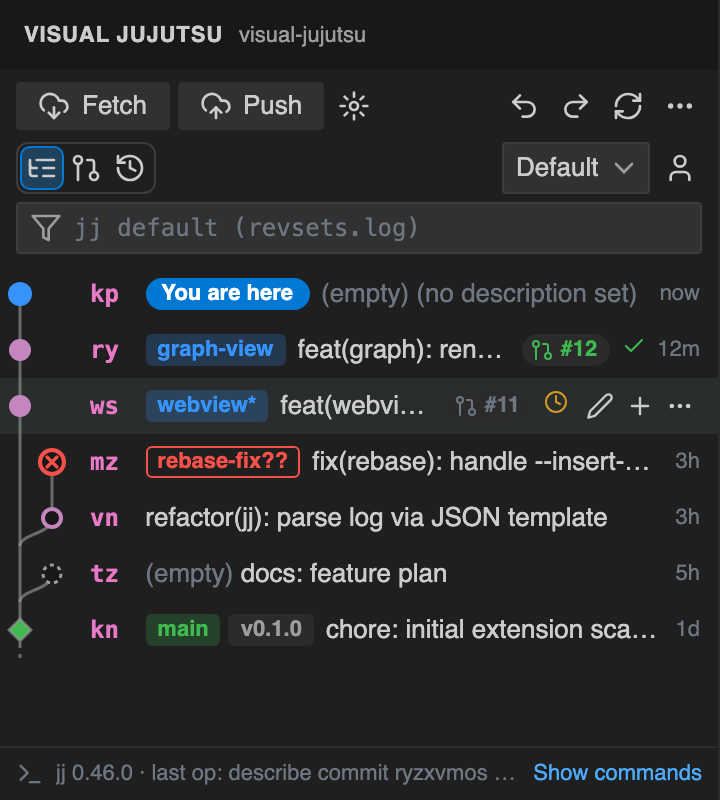
The Visual Jujutsu revision graph in the VS Code sidebar, showing the working copy, bookmarks, a pull request badge and a conflicted revision

Real jj commands

Every action runs a real jj or gh command. The command log shows exactly what ran.

Undo anything

Press ⌘Z in the graph to undo the last operation, or restore any point from the operation log.

Works with your Git repo

Use it in a colocated jj + Git repo, push to GitHub and keep your teammates' workflow unchanged.

Move files between revisions

Drag files from one revision onto another to move those changes. Select several with ⌘-click, or drag a whole folder. A hint shows the exact command before you let go.

Prefer menus? Right-click a file and choose Move to revision…, Move into parent or Split into a separate revision.
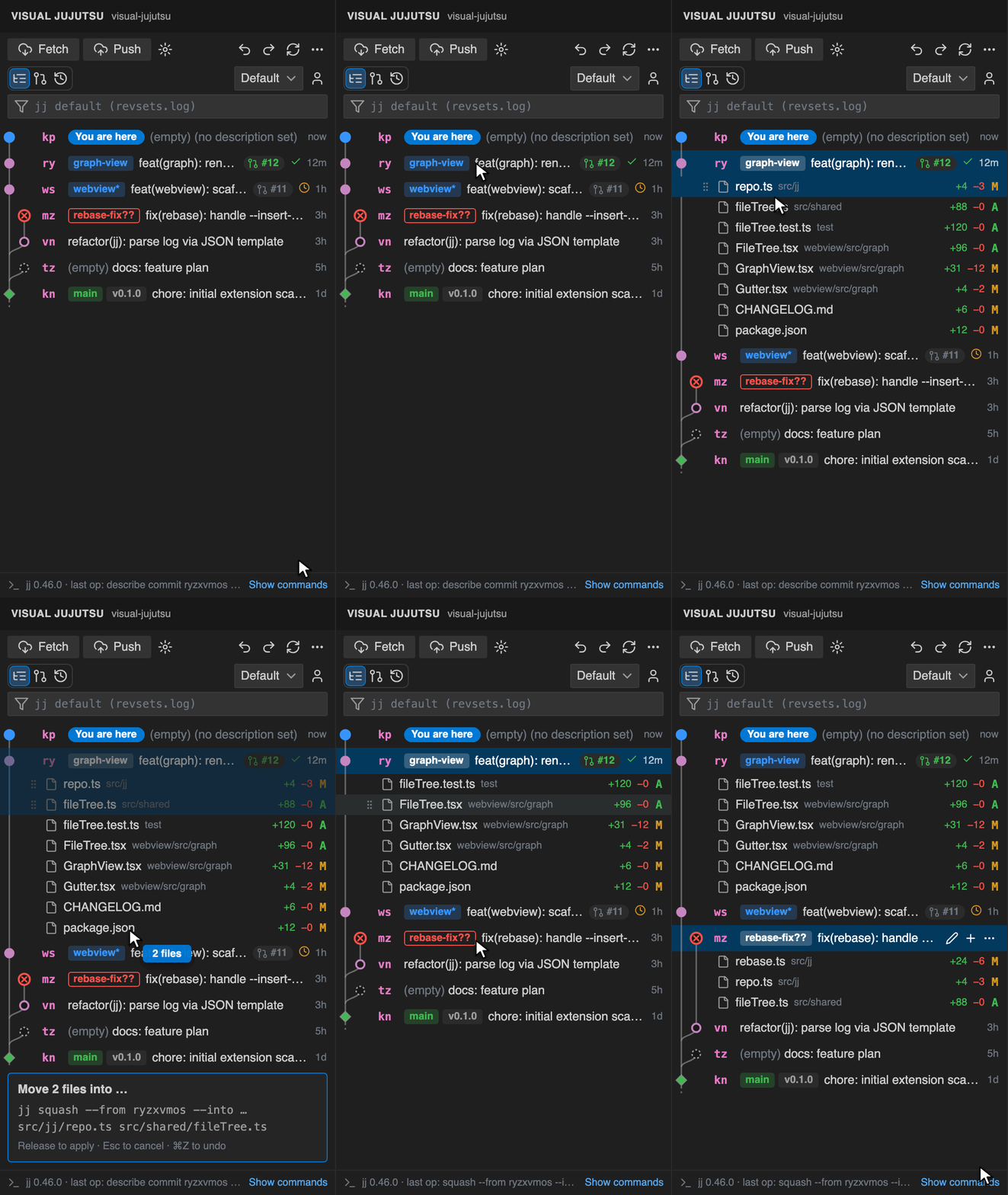
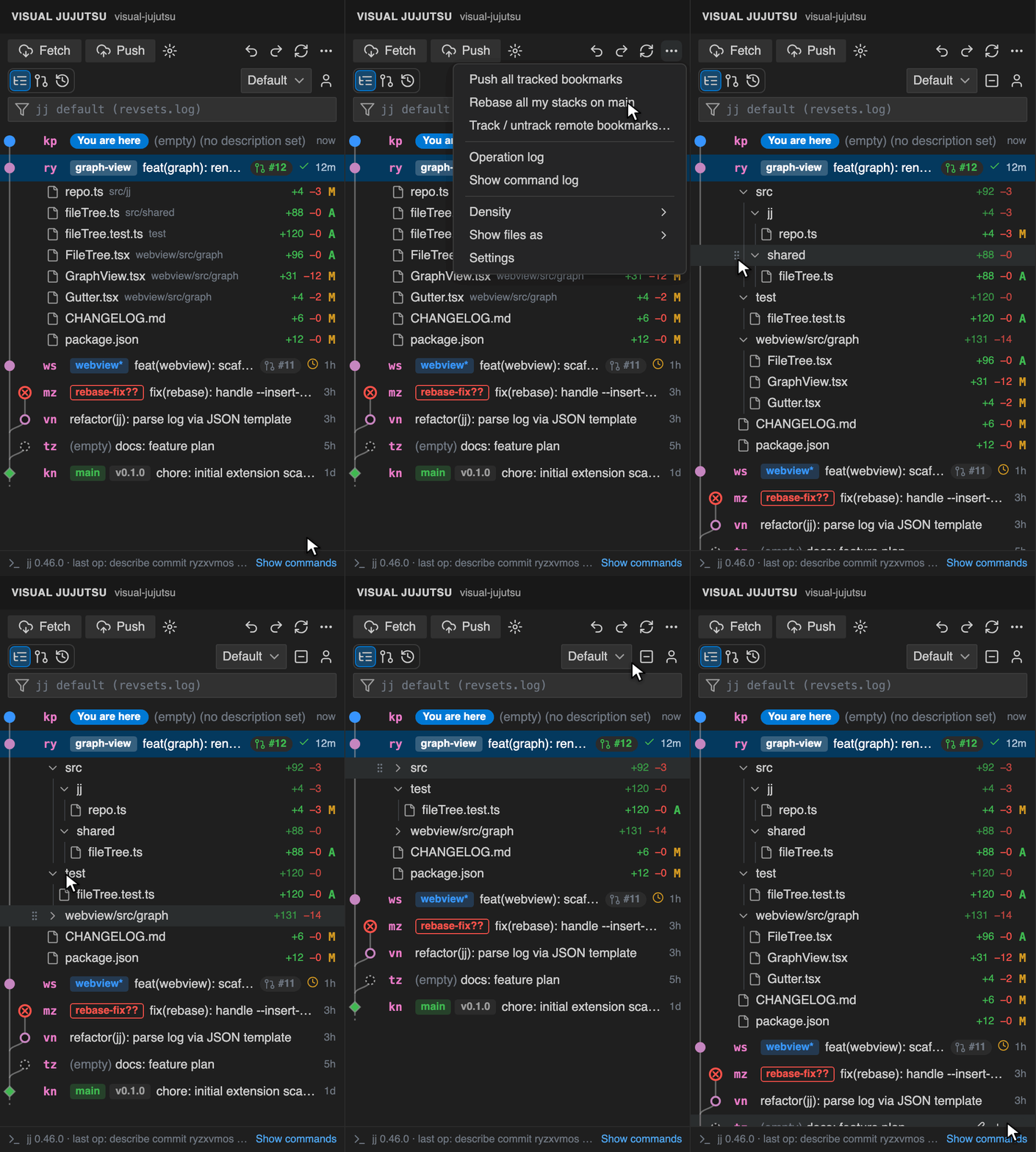
Animation: expanding a revision, selecting two files, dragging them onto another revision, and the files appearing there

Rebase by drag and drop

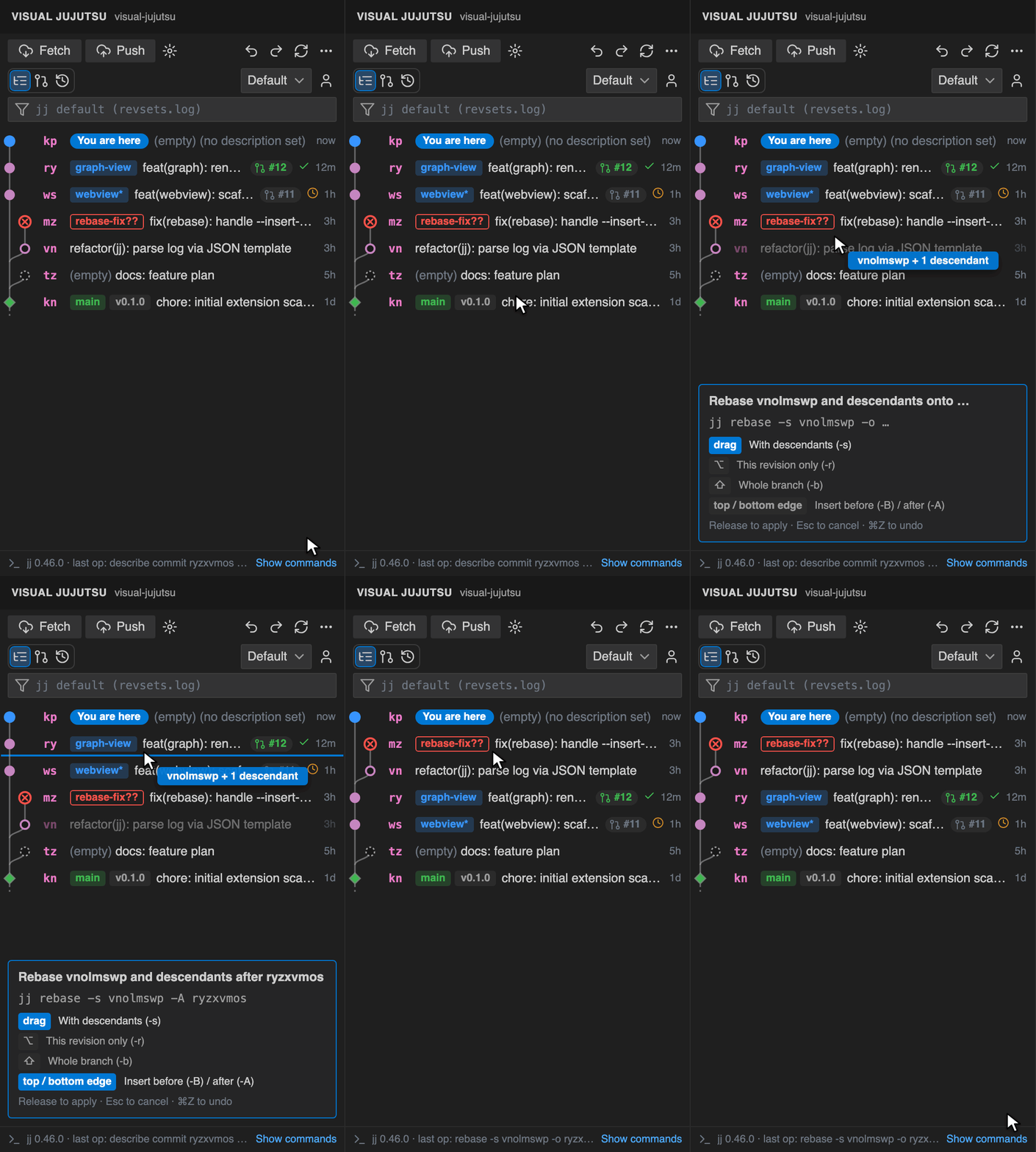
Drag a revision onto another to rebase it with its descendants. Hold ⌥ to move only that revision, or ⇧ to move the whole branch. Drop on a row's edge to insert before or after it.

Drag a bookmark chip onto a revision to move the bookmark.

Animation: dragging a stack onto another revision, holding Option to switch to -r, then dropping and the graph updating

Files under their folders

Switch a revision's changed files from a flat list to a folder view, like the Explorer. Folders start expanded and show their total line counts; click one to collapse it, or collapse them all at once.

Drag a whole folder onto another revision to move every file in it.

Animation: switching to the folder view from the More actions menu, collapsing folders, then collapsing and expanding them all

Preview a rebase before you run it

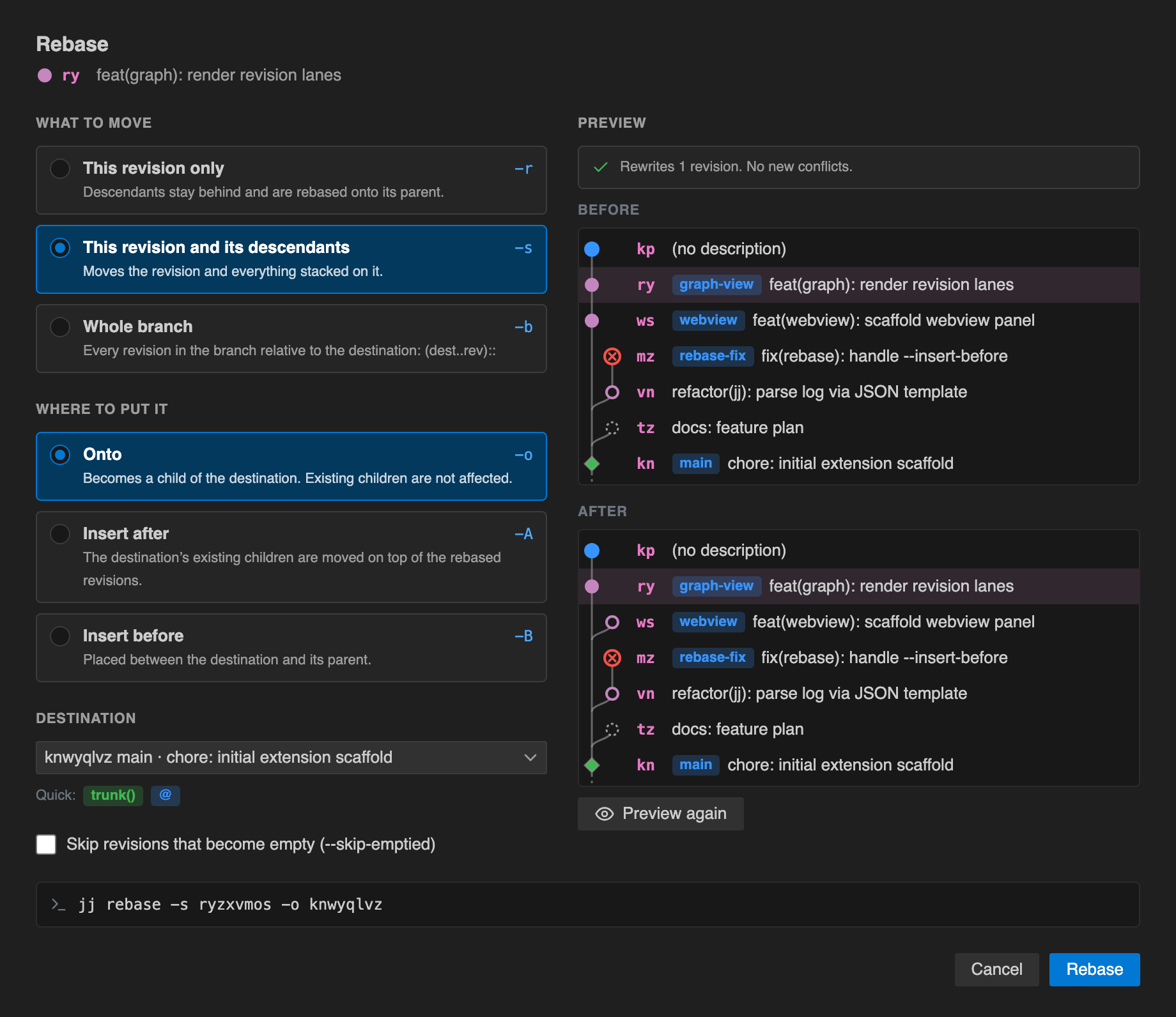
The rebase dialog shows every jj rebase option, a destination picker and the command that will run. Preview draws the graph before and after, and flags revisions that would become conflicted, without changing anything.

Rebase dialog with what-to-move and where-to-put-it options and the jj rebase command

Stacked pull requests that just work

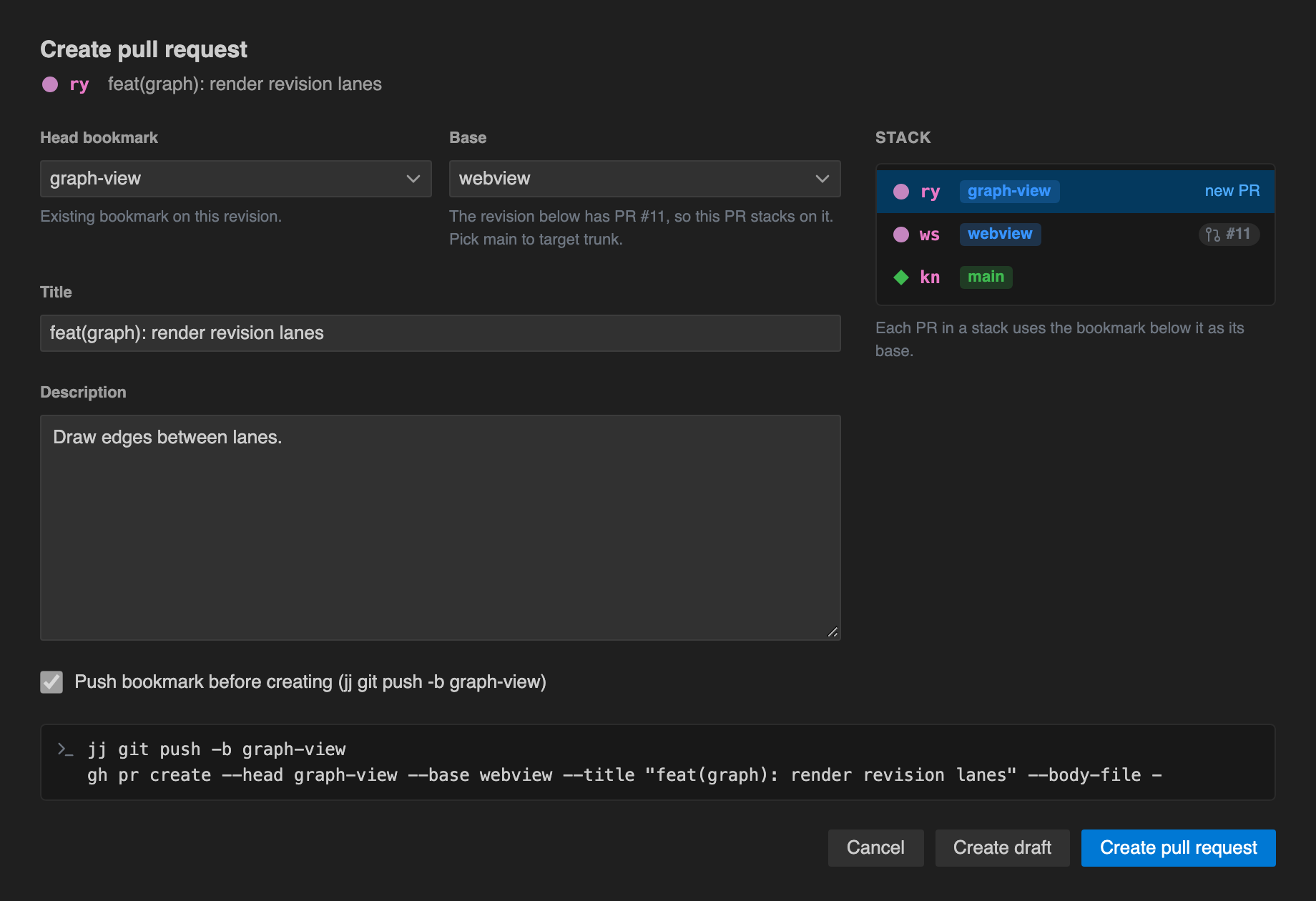
Create pull request… pushes the bookmark and opens the PR with the GitHub CLI. Each PR's base is set to the PR below it, so stacks work out of the box. Sync stack pushes the whole stack and fixes PR bases after a rebase, and Clean up tidies up after a merge.

With the gh stack extension installed, your PRs are linked as a native GitHub stack too.

Create pull request form with head, base, title, description and the stack of revisions

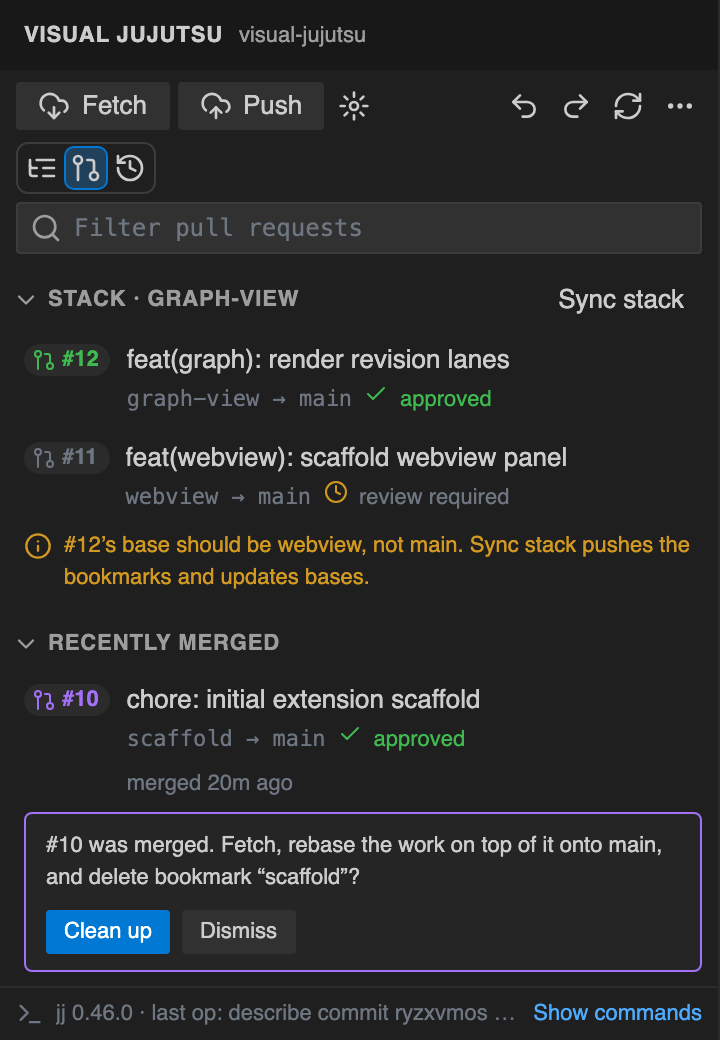
All your pull requests, grouped into stacks

The pull requests view shows each stack with its checks and review state, and warns when a PR's base is out of date. Sync stack fixes it in one click.

When a PR merges, Clean up fetches, moves the work on top of it onto main and deletes the bookmark.

Pull requests view with a stack of two PRs, their checks and review state, and a merged PR ready to clean up

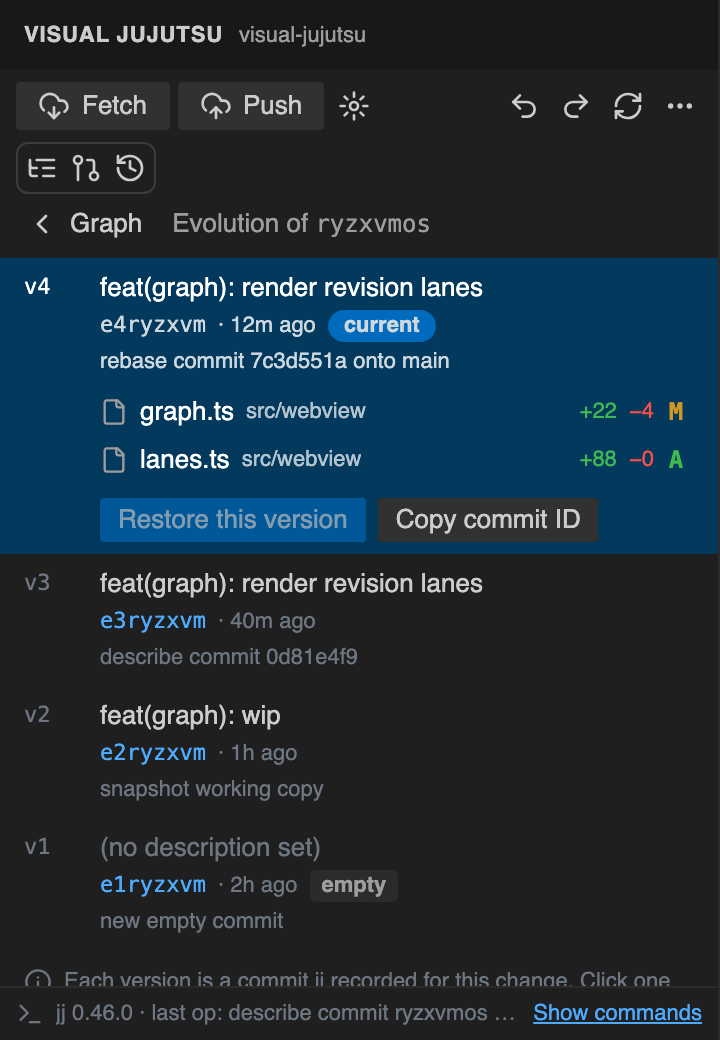
Every version of a change

The evolution log lists every version jj recorded for a change and the operation that made it. Click a version to see the files that changed since the one before, open the diffs, or Restore this version.

Evolution log of a change with four versions, the latest open to show its changed files and a Restore this version button

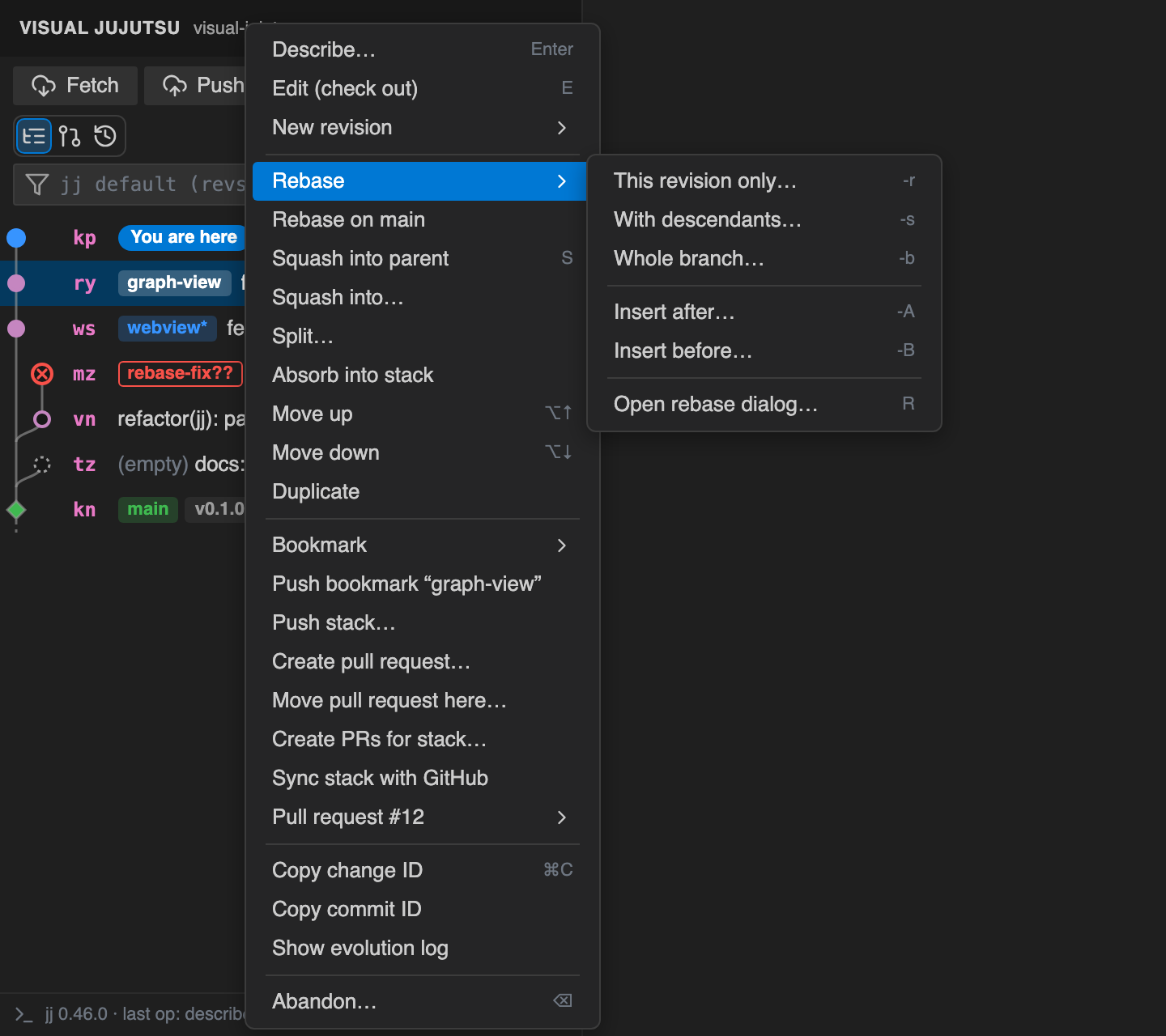
Everything jj can do, one right-click away

Describe, edit, new, squash, split, absorb, rebase, bookmarks, push, pull requests, abandon and more. Select several revisions to rebase, squash or merge them together.

Revision context menu with the Rebase submenu open

Also included

Operation log

Every operation jj recorded, with Restore to here.

Push preview

Pushes show a dry run first, and a rejected push offers Fetch and retry.

Revsets and presets

Filter the graph with any revset, or pick Default, Mine, Stack of @, All or Bookmarks.

Divergent changes

A warning when a change has more than one version, and Keep one version… to fix it.

Conflicts

Conflicted revisions stand out, and Resolve conflicts opens your merge tool.

Keyboard friendly

Arrow keys to move, Enter to describe, N for new, S to squash, R to rebase.

Source Control

The working copy's changes, gutter diffs and a message box that describes @.

Multi-root

Every jj repo in the workspace, including nested ones, with a picker to switch.

Light and dark

Follows your VS Code theme, with a compact density for small screens.

Get started in a minute

Install the extension, open a folder that has a jj repository, and the graph appears in the activity bar.

  1. Install jj 0.27 or later.
  2. In an existing Git repo, run jj git init --colocate.
  3. For pull requests, install the GitHub CLI and run gh auth login.